
For enterprise-licensed implementations
Block Page Assistant
The browser extension for enterprise-licensed implementations. It displays denied HTTPS block-page redirects and reports gateway protection status.

adam:ONE® protects devices without the need of an endpoint agent.
adam:ONE® assist & Block Page Assistant are browser extensions to help enhance user experience in a ZTc (Zero Trust Connectivity) environment.
What it does
How the extension assists the browser
The extension works alongside an adam:ONE®-protected gateway. It does not replace the gateway policy or inspect encrypted traffic on the endpoint.
Visible block-page redirects
Inspection workflows
Optional reCAPTCHA redirect
Technical reference
Platform support and extension behavior
Installation, browser compatibility, local service interaction, optional functions, and privacy behavior documented by ADAMnetworks.
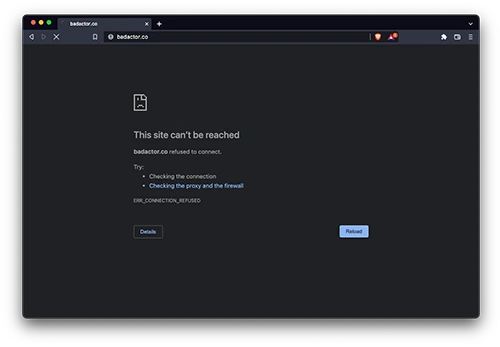
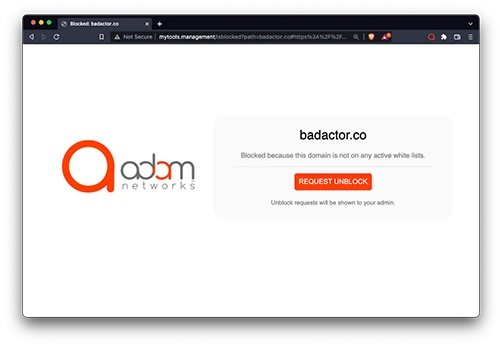
Denied HTTPS sites
Supported platforms
Chromium-based browsers
- Brave on macOS and Windows
- Chrome on macOS and Windows
- Vivaldi on macOS, Windows, and Linux
- Microsoft Edge on macOS and Windows
- Chromium on macOS, Windows, and Linux
- Kiwi on Android
Technical functionality
Blocked HTTPS redirection
Redirects blocked HTTPS pages to the locally hosted mytools.management service so the deployment’s block page can be displayed.
Local extension presence notification
Notifies the locally hosted mytools.management service that the browser extension is installed and present.
Protection-status display
Shows whether the device is protected behind the adam:ONE® deployment. Hovering over the extension icon displays the status as text.
Optional reCAPTCHA redirection
Can redirect www.google.com/recaptcha to www.recaptcha.net/recaptcha when Google domains are denied. This function is off by default.
Enable only when Google is blocked. Sites with a restrictive Content-Security-Policy may reject the redirected CAPTCHA.
Protection status at a glance
The extension icon communicates whether protection is detected for the device. Hovering over the icon also presents the current status as text.

Feature support grid
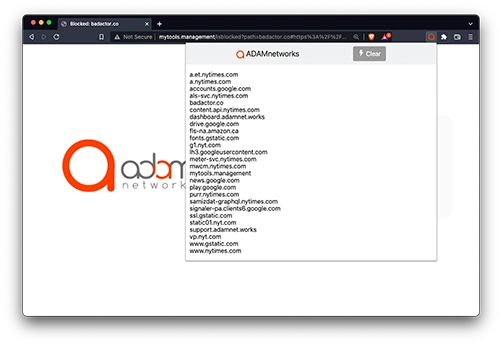
Optional domain listing
When Domain Listing is enabled, the extension popup can show the domains used by the current website and provide a Clear control for starting a fresh list.
Setup and use
- Install Block Page Assistant from the Chrome Web Store in a supported Chromium-based browser.
- The base functions f1–f3 operate immediately after installation on supported platforms.
- Use the extension icon to view protection status; hover over it to read the status in text.
- To activate reCAPTCHA redirection, right-click the extension, open Options, and enable the function only when Google is blocked.
Privacy and security
- When a page fails to load, its domain and path are passed to mytools.management, a local process on the user’s gateway, to determine whether the deployment block page should appear.
- This domain and path information does not leave the user’s network.
- Users can receive policy-enforcement feedback and trigger an unblock request when protected by ZTc Adaptive Allowlisting.
- reCAPTCHA redirection is disabled by default and runs only when the user enables it.
Implementation note
Block Page Assistant is intended for white-label implementations of adam:ONE®. It provides transparent feedback around denied HTTPS sites without requiring the browser to install a third-party certificate for traffic interception. Optional reCAPTCHA redirection remains off until enabled by the user.