From time to time this discussion comes up in support and in various forums over the years. I wanted to have a simple article for this to be easily understood.
What problem does hairpin NAT and/or split-DNS solve?
Whenever we host content on our internal network that is publicly accessible via a port-forward, we face the issue that a public DNS entry points to the public IP address of our internet connection, but the content we’re trying to reach is inside our network on a private IP address.
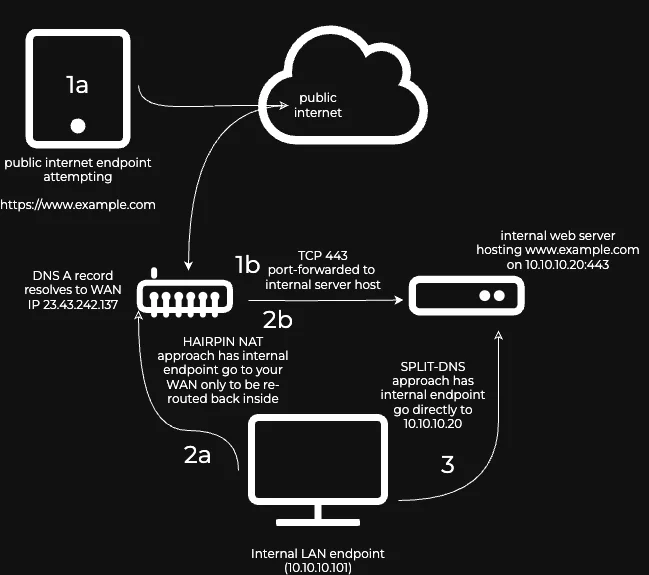
To illustrate the methods of solving this FQDN-based access from the internal network, consider how internet-sourced traffic works (1), how hairpin NAT works (2) and how split-DNS connections (3) work:
-
In this first scenario above, neither hairpin NAT nor split-DNS is required for a device anywhere on the internet.
-
Showing hairpin NAT in use - this requires the router to support it (2b), but it is very inefficient, especially if performance is desired; it increases the attack surface, opens doors for potential network exploitation, so it’s common for this to be discouraged for security reasons.
-
Showing split-DNS in use - this requires the ability for the internal caching DNS resolver (usually on the gateway) to be able to host a DNS A record for
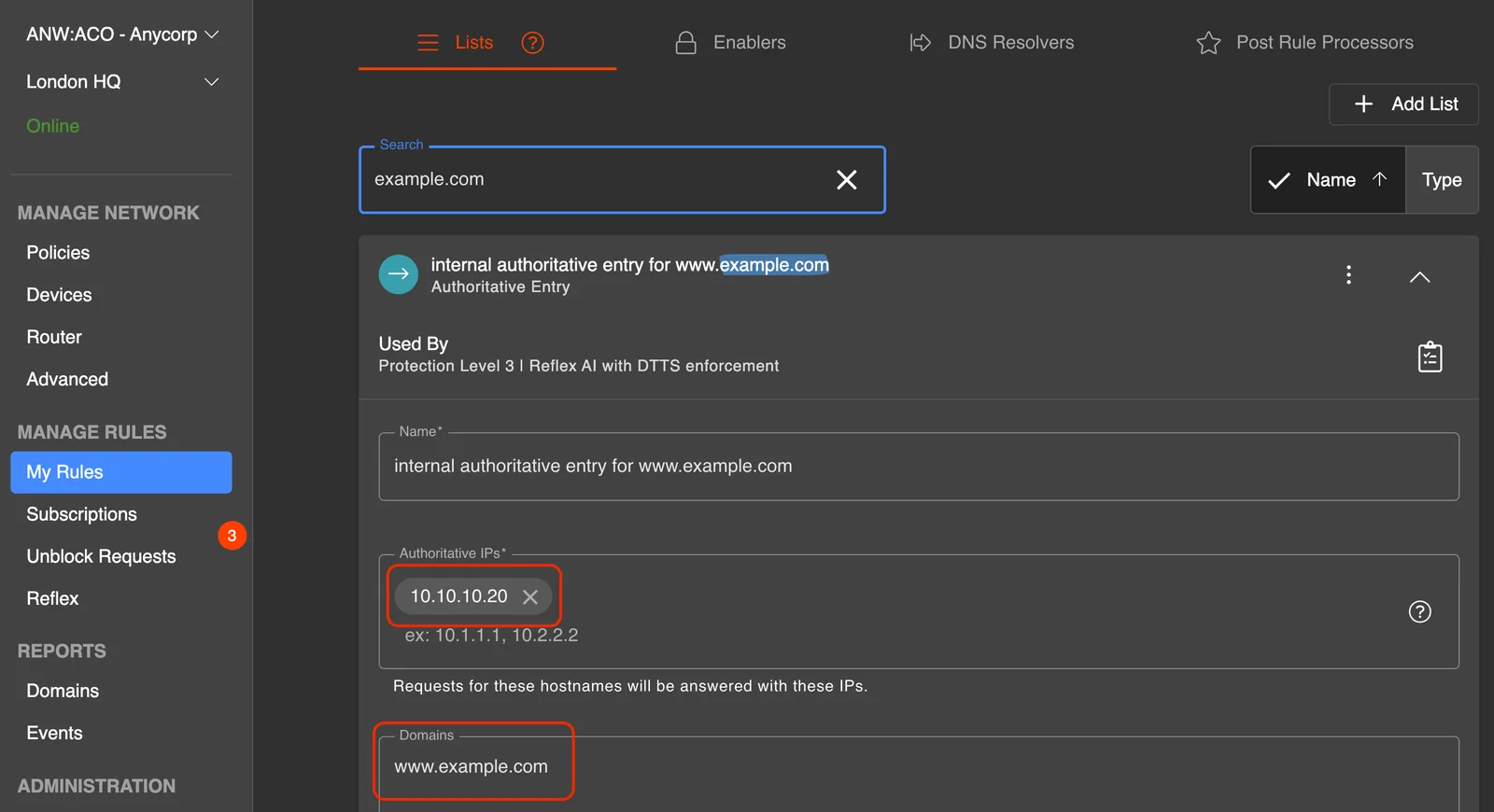
www.example.comto resolve to10.10.10.20(and not to the public IP address) - many routers have this capability. Within adam:ONE, a simple Authoritative Rule can be created and enabled on all policies.
Here’s how it is accomplished within the adam:ONE dashboard. First, an Authoritative type rule is created:
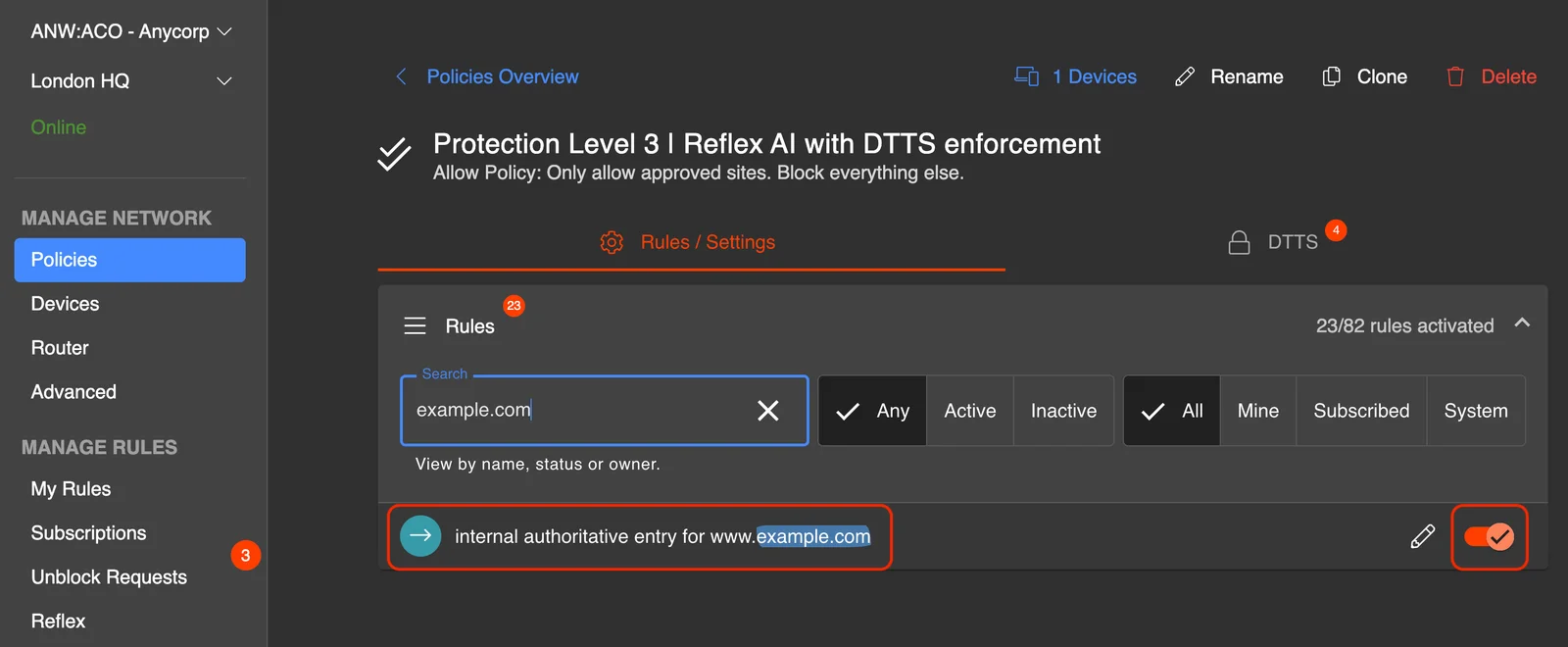
Then it is enabled on all relevant policies:
We have never seen a scenario yet where hairpin NAT is a preferred method over split-DNS.